The ALink family — refined, reliable, made to be used.

Connection,
made simple.

ALinkgram app icon

ALinkgram

Third-party Telegram client for iPhone

Better at organizing, quieter, and it connects to your own NAS — Telegram, with more than the official app.

Requires iPhone. Sign in with your own Telegram account.

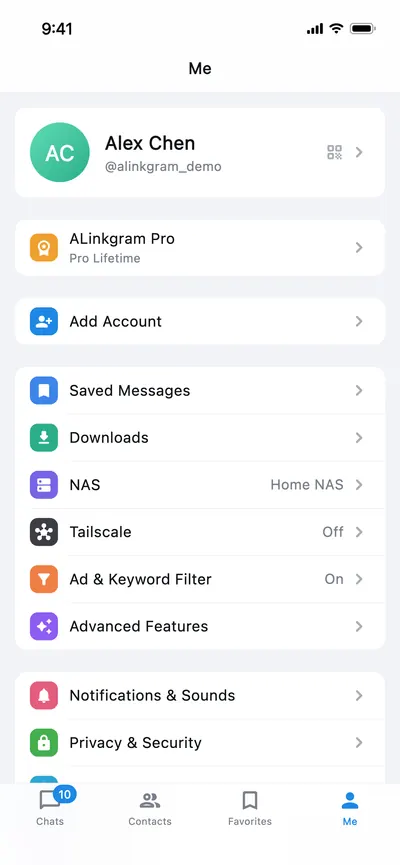
Me tab with NAS, Tailscale, ad filter and advanced features
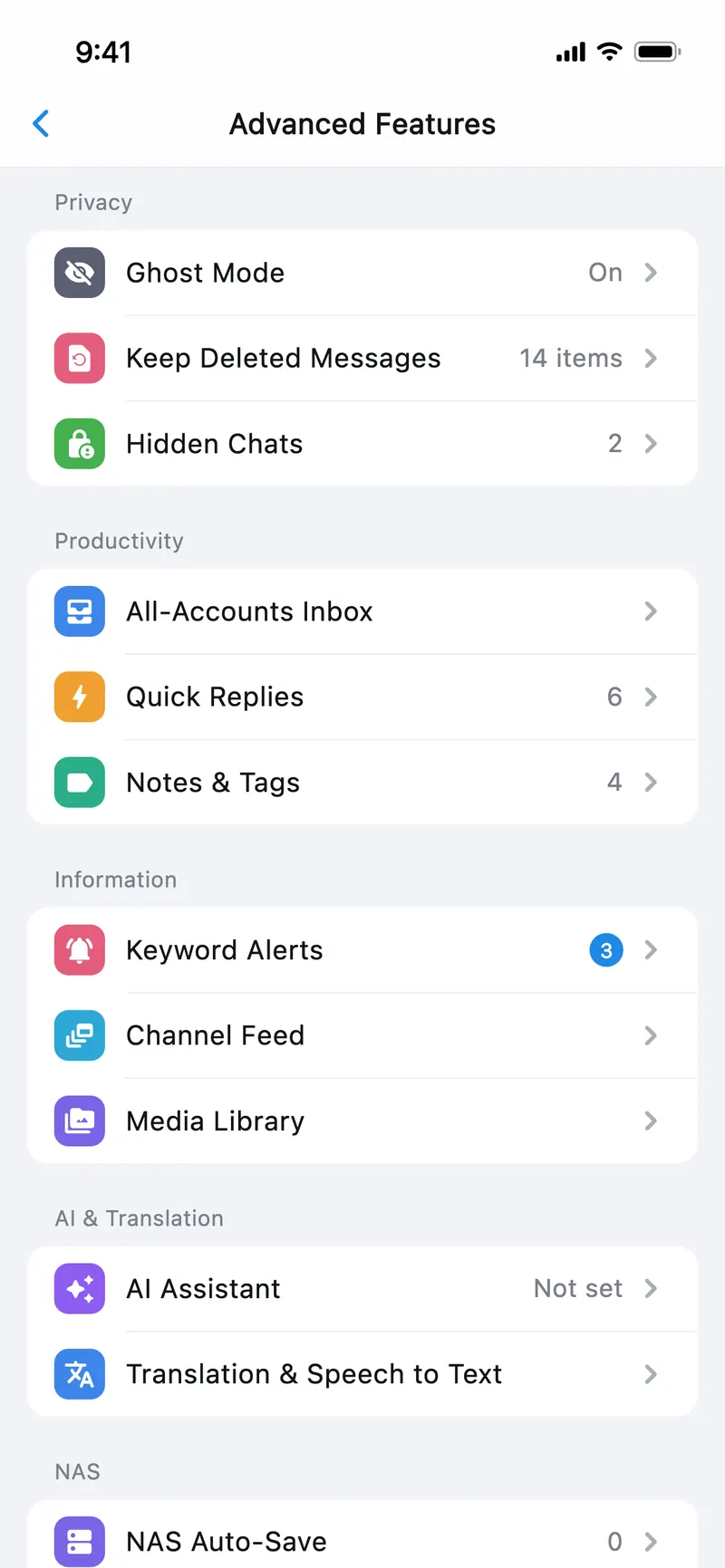
Advanced Features: ghost mode, kept deleted messages, hidden chats, all-accounts inbox, keyword alerts
Why ALinkgram

Everything Telegram has. Plus what it doesn't.

ALinkgram vs. the official Telegram app for iPhone — at a glance.

Everything in the official app Chats, voice & video calls, channels, bots, mini apps, secret chats
  • Two-level saved folders

    File messages into your own category › sub-category, synced across devices.

    ALinkgram Official app:Tags only (Premium)
  • NAS storage

    WebDAV or SMB — downloads go straight to your NAS, videos play while downloading.

    ALinkgram Official app:Not available
  • Built-in Tailscale

    Reach your home NAS from anywhere, no extra app needed.

    ALinkgram Official app:Not available
  • Ad & keyword filter

    Catches ads and their look-alikes automatically and stops cross-group flooding.

    ALinkgram Official app:Not available
  • Keep deleted messages

    Messages others delete stay on your device.

    ALinkgram Official app:Not available
  • Ghost mode

    Read without sending read receipts, and hide “typing…”.

    ALinkgram Official app:Not available
  • Lock individual chats

    Face ID or passcode before a chosen chat opens.

    ALinkgram Official app:App-wide passcode only
  • Keyword alerts

    Get notified the moment a keyword shows up in any chat.

    ALinkgram Official app:Not available
  • Unified inbox

    Messages from all your accounts in one place.

    ALinkgram Official app:Account switching only

Compared with the official Telegram app for iPhone as of November 2026. Some advanced features are part of ALinkgram Pro — see the Terms of Service. ALinkgram is not an official Telegram app and is not affiliated with Telegram FZ-LLC.

Not in the official app

Saved messages, in real folders.

File any message into your own two-level folders — and find it again in seconds, on every device.
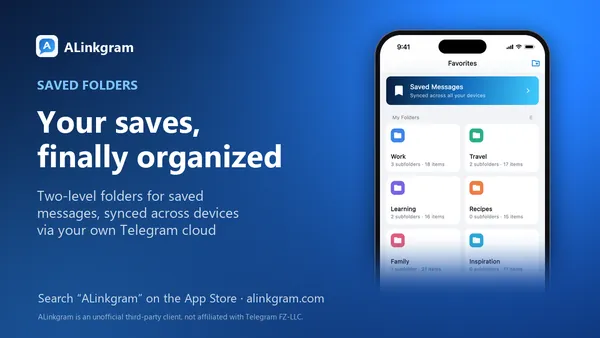
Saved folders promo image with Work, Travel and Learning folders
Not in the official app

Downloads land on your NAS.

WebDAV or SMB, with Tailscale built in — save and stream from your own storage, even away from home.
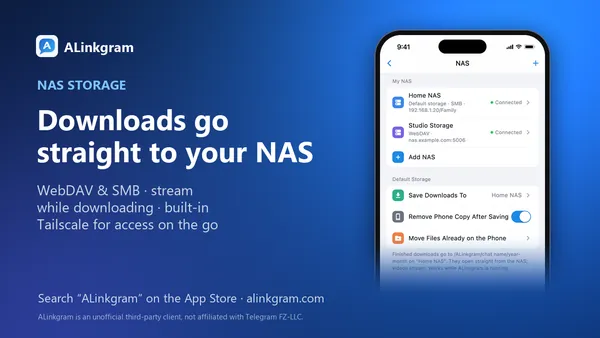
NAS storage promo image: a home NAS and a studio storage connected, downloads saved to the home NAS
Not in the official app

Groups, without the spam.

Ads and their look-alikes are caught automatically, and cross-group flooding is stopped in one go.
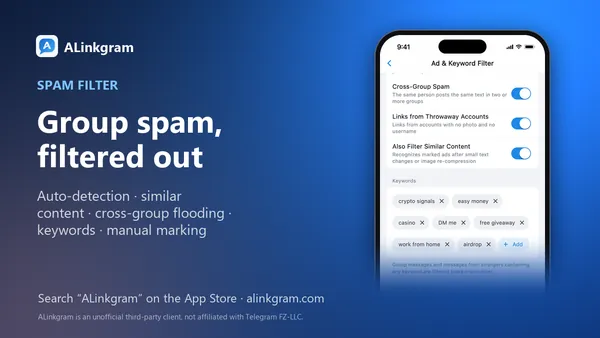
Ad filter promo image with cross-group flood and similar-content switches and a keyword list
Not in the official app

Your chats, your rules.

Keep deleted messages, read in ghost mode, and lock just the chats that matter.
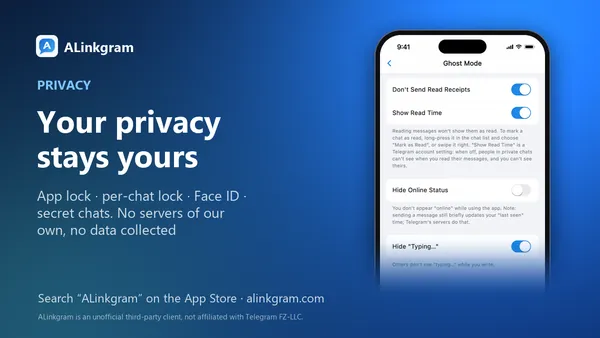
Privacy promo image: ghost mode settings with no read receipts and hidden typing
ALinkgram features

Small details. Big difference.

Built around how you actually use Telegram every day.

Saved folders

Saved messages, finally organized.

Long-press any message to file it into categories and sub-categories. Folders sync across every device through your own Telegram cloud.
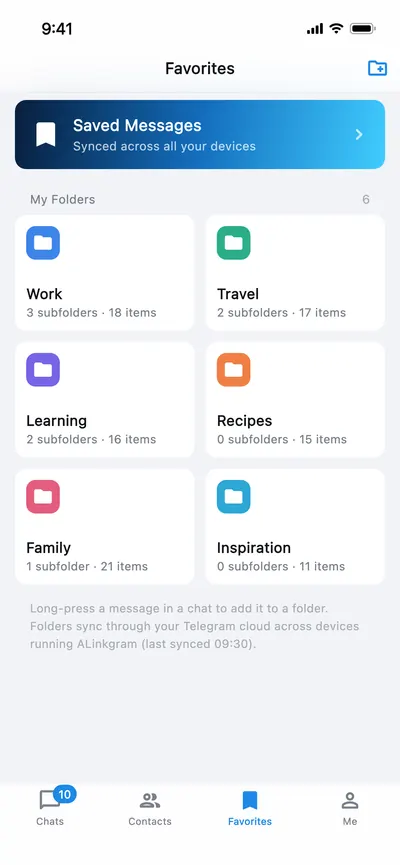
  • Two levels: category › sub-category
  • Multi-device sync, no extra server
  • Telegram Saved Messages one tap away
Favorites screenshot with Work, Travel and Learning folders
NAS storage

Your NAS is your cloud drive.

Connect over WebDAV or SMB. Built-in Tailscale reaches your NAS from anywhere — downloads land on the NAS automatically, and videos play while they download.
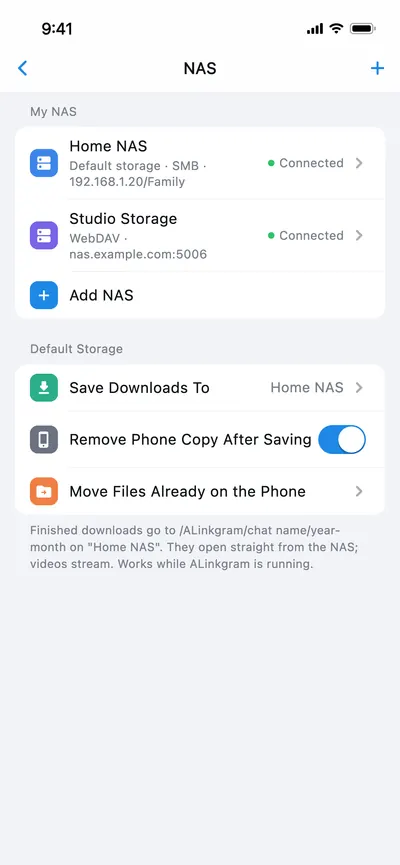
  • WebDAV and SMB
  • Built-in Tailscale for remote access
  • Auto-save downloads, stream while downloading
NAS settings screenshot showing a home NAS over SMB and a studio WebDAV storage, both connected
Ad & keyword filter

Spam stays out.

Automatically detects ads, catches look-alike content and blocks cross-group flooding. Keyword rules are managed in one place.
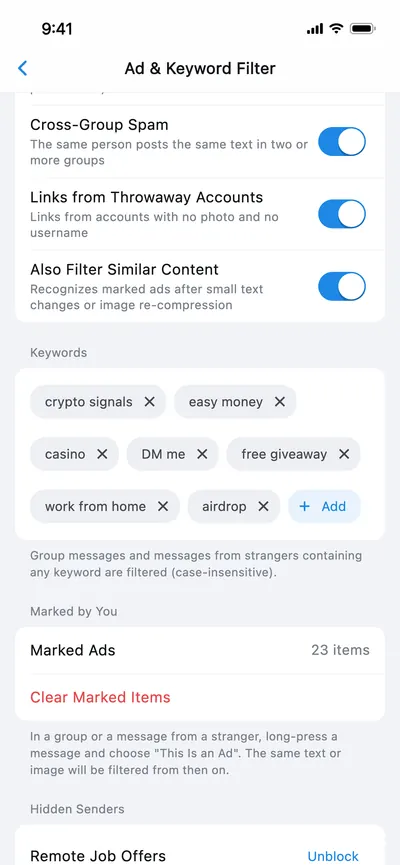
  • Automatic ad detection
  • Similar-content matching
  • Cross-group flood blocking
Ad and keyword filter settings screenshot with cross-group flood, suspicious link and similar-content switches plus a keyword list
Multiple accounts

Many accounts. One inbox.

Add several Telegram accounts and switch in a tap — or read everything together in the unified inbox.
  • Fast account switching
  • Unified inbox across accounts
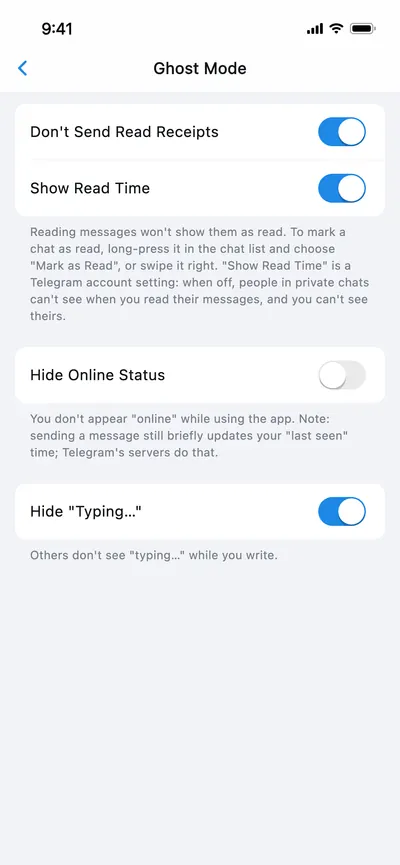
Ghost mode settings: no read receipts, hide online status, hide typing
iPhone Duo foldable

Unfold. See more.

On the big screen the tab bar moves to a vertical rail and saved folders spread out into a wide grid. Folded, it's a perfect one-hand phone again.
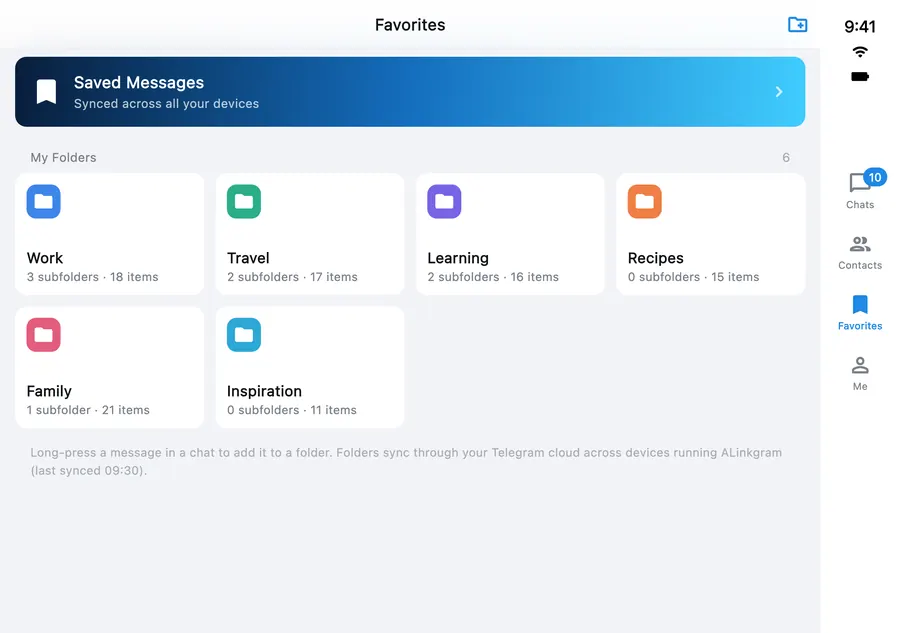
Unfolded screenshot: vertical tab rail on the right and saved folders in a four-column grid
Unfolded — vertical tab rail, wide grid
Folded-state chat list screenshot
Folded — cover screen
And everything else

Complete, inside and out.

Privacy & security, built in.

App lock, per-chat locks, Face ID and Secret Chats. Your data goes straight to Telegram — never through any third-party server.

  • App lock and per-chat lock
  • Face ID unlock
  • End-to-end encrypted Secret Chats
  • No third-party servers, no tracking

Calls & voice chats

One-to-one voice and video calls, plus group voice chats.

Bots & Mini Apps

Bots, Mini Apps and inline bots all work the way you expect.

Multiple accounts

Switch accounts in a tap, or see them all in one unified inbox.

Made for foldables

Vertical tab rail and wide grids when unfolded.

The ALink family

Apps by ALink

One standard for every app: refined, reliable and respectful of your privacy.

ALinkgram icon

ALinkgram

On the App Store

Third-party Telegram client for iPhone — saved folders, NAS, filtering, privacy and more.

ALink Remote icon

ALink Remote

Coming soon

For the helper: see another iPhone's screen in real time, talk with intercom, send assistance messages and files.

ALink Screen Share icon

ALink Screen Share

Coming soon

For the iPhone being helped: share your screen in one tap, view only, and stop any time.

Support

We're here to help.

Contact support

Questions or feedback? Email us — we usually reply within 2 business days.

[email protected]

FAQ

Not getting the login code?
Telegram sends the code to your other signed-in Telegram devices first; if you have none, it falls back to SMS.
Are my chats synced with the official apps?
Yes. ALinkgram uses your own Telegram account, and your messages live in Telegram's cloud.
Can't reach my NAS?
Make sure your phone and NAS are on the same network and that ALinkgram is allowed Local Network access. When you're away, turn on the built-in Tailscale.
How do I delete my account?
Go to Me › Profile › Account Settings › Delete Account.