



The ALink family — refined, reliable, made to be used.

Every remote computer,
one window.

ALink RDP icon

ALink RDP

For Windows 10 / 11

Open Windows Remote Desktop and Mac Screen Sharing side by side in tabs. Your connections and passwords stay encrypted on your own PC — no installer, no account.

Free · Version 1.0.1 (build 24) · 0.6 MB · Checksum & requirements

ALink RDP with three remote computers open in tabs
Get started

Three steps. Nothing to install.

Nothing to install on the remote computers either — ALink RDP uses what Windows and macOS already have.

Download and unzip

Put “ALink RDP.exe” in any writable folder — even a USB drive — and run it.

Set a master password

It encrypts the connections and passwords you save. It can't be recovered, so keep it safe.

Connect

Add a computer, or type an address in the search box and press Enter. Use vnc:// for a Mac.

Switch tabs without leaving full screen

Press Ctrl + Alt + Break to enter full screen. Move to the top edge and click a tab, or press Ctrl + Tab to switch to the next desktop.

Pick a remote desktop to preview
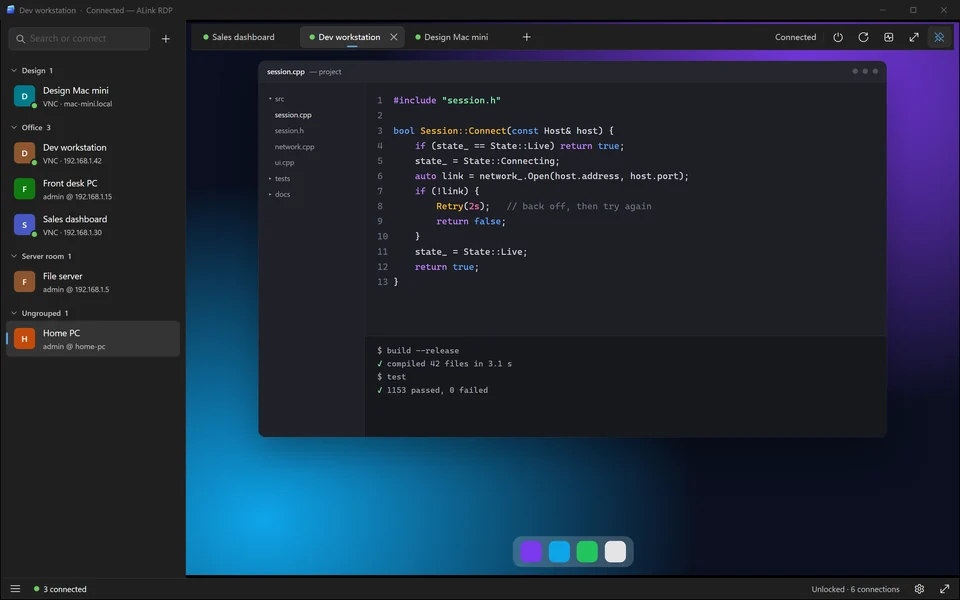
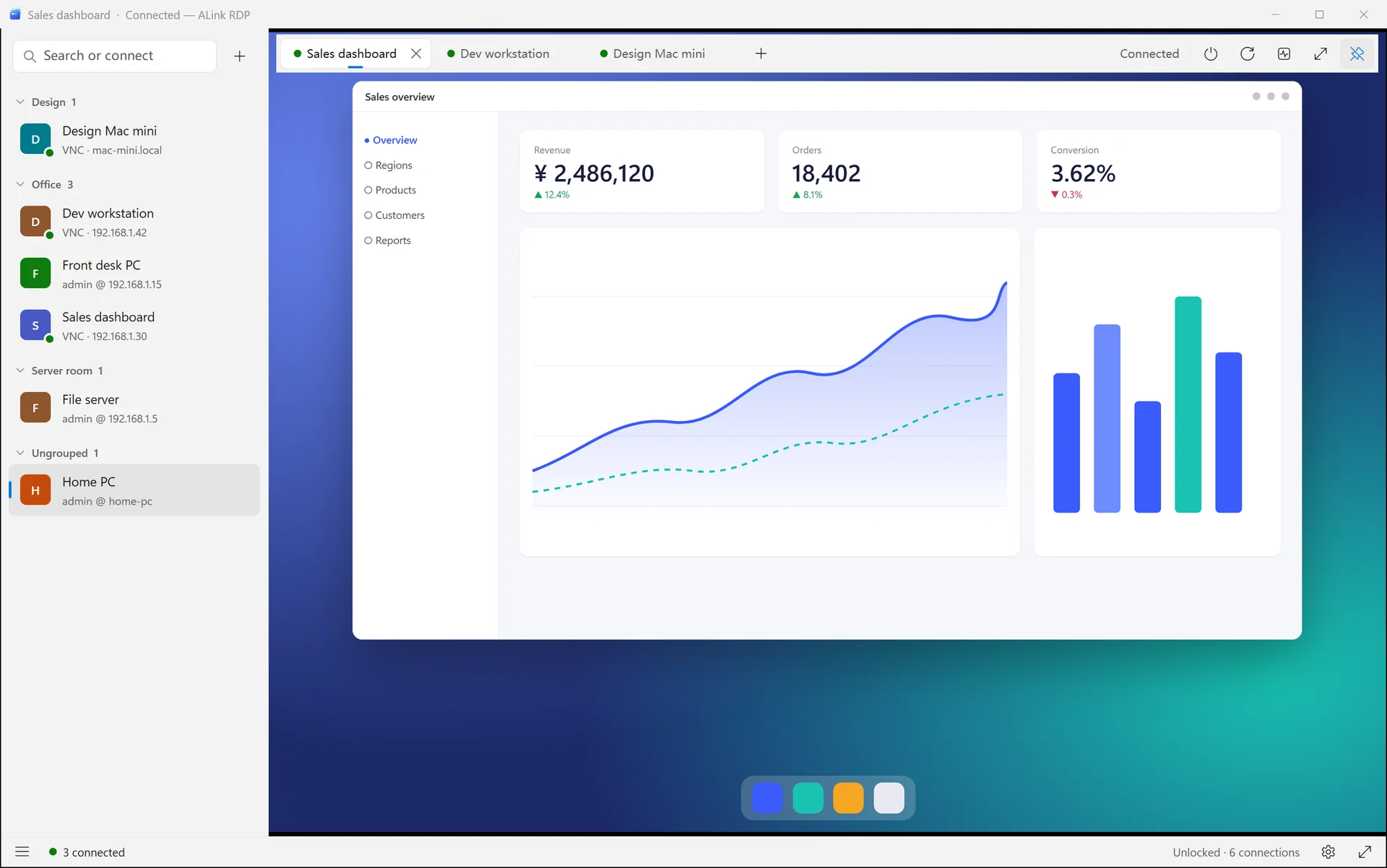
Fullscreen ALink RDP with the first tab selected and a sales dashboard displayed. The second tab is selected, showing a development workstation in the same fullscreen window.
Select a tab above to compare two screenshots from a real ALink RDP session using demo content.
Features

All your desktops, neatly in tabs.

Tabs

All your PCs. One window.

One tab per computer. Switch with Ctrl+Tab, close with Ctrl+W. The tab bar slides away when you don't need it — or pin it.

  • Full screen with Ctrl+Alt+Break
  • Groups, search and one-step quick connect
  • The remote PC runs ALink too? Enable bridging to show its tabs here — one bar for every PC
  • Send Ctrl+Alt+Del and save remote screenshots
  • Reconnects automatically if the network drops
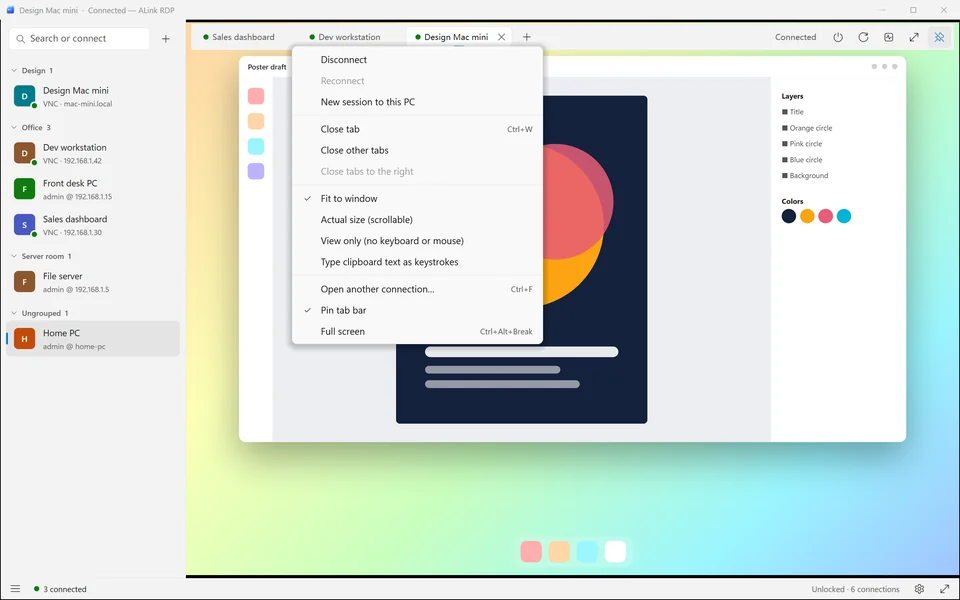
Tab right-click menu: disconnect, reconnect, new session, close tabs
Mac Screen Sharing

Macs too. Nothing to install.

Connect to the Screen Sharing that's built into macOS and sign in with the Mac account. ALink RDP speaks Apple's own Screen Sharing protocol: the picture is pushed as it changes, the session is encrypted, and the clipboard works in any language. Ctrl works as Command, so your shortcuts just work.

  • Fit to window or actual size
  • View only, when you just want to watch
  • Reconnects automatically if the network drops
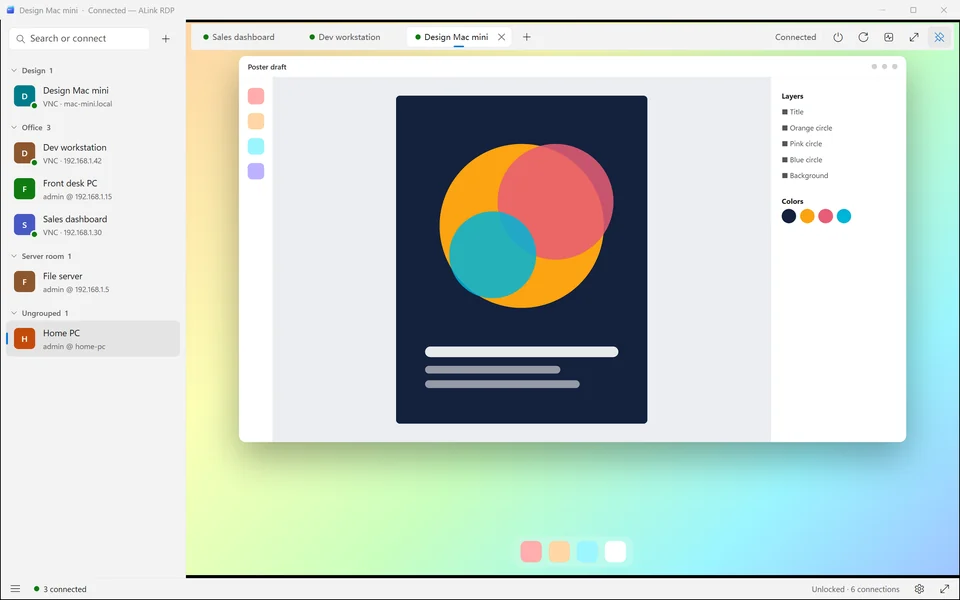
A Mac's screen in an ALink RDP tab
Encrypted & portable

Encrypted. Goes where you go.

Connections and passwords are saved next to the program, encrypted with your master password. Copy the EXE and its data file to another PC and you're set.

  • PBKDF2-HMAC-SHA256 + AES-256-GCM
  • A single EXE, no installer, no admin rights
  • Encrypted export file to move to another PC; imports .rdp files too
  • Nothing is uploaded — ever
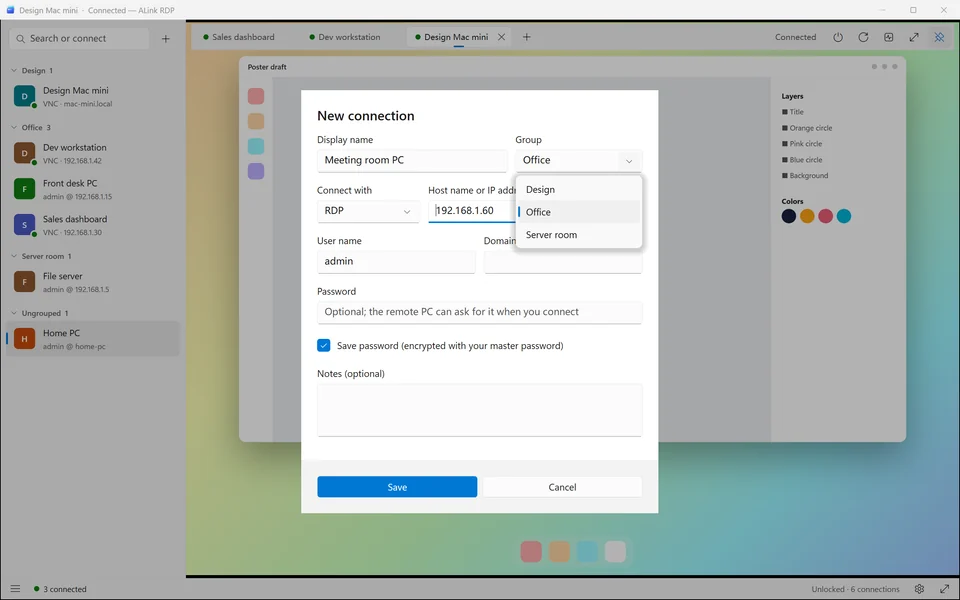
New connection dialog with groups
Windows 11 style

Light or dark, it fits right in.

Follows your theme and accent color, with high contrast support. Crisp on high-DPI screens and across monitors.

  • Light, dark or follow Windows
  • English and Chinese, switch any time
  • Menus and dialogs you can drive from the keyboard
ALink RDP in dark mode
Security

Your passwords, your PC.

Encrypted at rest

Saved passwords exist only in encrypted form. The log never records them.

No account, no tracking

No sign-up, no ads, no analytics. ALink RDP only talks to the computers you connect to.

Fingerprint check

No certificate pop-ups when you connect. ALink remembers each computer's certificate fingerprint and tells you in the status bar if it changes. You can turn the Windows warning back on in Settings.

When you sign in to a Mac with its account name and password, ALink RDP uses Apple Screen Sharing's own protocol and the session is encrypted. Connections that use only a VNC password (and other VNC servers) are not encrypted — use those on your local network or over a VPN.

Free for Windows 10 / 11.

ALink RDP 1.0.1 (build 24)

64-bit · single portable EXE in a 0.6 MB zip · English and Chinese inside (user guide and release notes)

Download for Windows
SHA-256 (ZIP)
0C85EEE3822E99FC3C2E3A44633A942AA3CF9581CF03BE040F27B55B721CD1CA
SHA-256 (ALink RDP.exe)
70ECA7D405F09DCA30E68954FE3A474BAE74DF27A138D6EFD519074EAD86A1AE

The program isn't code-signed yet, so Windows SmartScreen may warn the first time. If you downloaded it from this page, choose “More info” › “Run anyway”. Check the file in PowerShell: Get-FileHash ".\ALink RDP.exe"

Support

We're here to help.

Contact support

Questions or feedback? Email us — we usually reply within 2 business days. Please attach ALinkRDP.log from the program folder (it contains no passwords).

[email protected]

FAQ

Which Windows computers can I connect to?
Windows Pro, Enterprise and Server with Remote Desktop turned on (Settings › System › Remote Desktop). Windows Home doesn't include a Remote Desktop server.
How do I connect to a Mac?
On the Mac, turn on System Settings › General › Sharing › Screen Sharing. In ALink RDP choose “VNC (Mac)”, or type vnc://address, and sign in with the Mac account.
Where are my passwords stored?
In ALinkRDP.dat next to the program, encrypted with your master password. Nothing is sent anywhere.
I forgot my master password.
It can't be recovered and there is no back door. ALink RDP can keep the old file aside and start a new, empty one.